

Movies or television shows are always better watched on a big screen, and that is the reason why most people prefer video streaming platforms on TV rather than their phones or laptops. Paramount+ and Roku TV are a popular combo, with Paramount+ offering a wide range of content and Roku TV providing a user-friendly interface. This post will show you how to use Paramount Plus on Roku, from subscription and setup to streaming and offline watching. You will find this guide helpful whether you are a new Paramount+ user or new to Roku.
Note: Ensure your Roku device is running OS 9 and above that is fully compatible with Paramount+. Moreover, connect your Roku TV to a stable internet connection, at least 25Mbps for HD and 100Mbps for 4K, as network is significant to play without issues.
Prep: Create a Paramount Plus Account on the Official Site Before Using Roku
A Paramount+ account is required to watch content on Paramount+. Many users try to sign up directly on Roku TV and realize later that it isn’t the easiest route. The sign-up screen looks simple, but entering an email address and password with a remote quickly becomes frustrating. A small typing mistake can send the process back to the beginning. Creating the account first on a desktop or mobile browser usually avoids that situation. The forms load faster, payment confirmation is clearer, and login credentials can be double-checked before moving to the TV.
At the same time, subscribing to Paramount+ on the official website also offers some account portability benefits. Next, we will explain these in detail.
What’s the Difference Between Subscribing Through Roku vs the Official Website?
There are 2 main differences here. One is billing and the other is account compatibility.
Initially, whether you subscribe via Roku or the official Paramount+ site, the result might appear as the same, since they offer the same content library. The differences, however, tends to manifest later, especially in billing management and account compatibility on various devices.
Using a Roku subscription, the billing is done on the Roku account. The subscription settings at Roku have to be used to control any changes in plans, cancellations, and payment adjustments. The same applies for subscribing via the official site.
As for account compatibility, your Paramount+ account subscribed through Roku may not be available on the Paramount+ app. This is because subscriptions created through Roku do not automatically generate a fully independent Paramount+ login.
Simply put, a Paramount+ subscription on Roku TV generally work well with people who intend to watch on a single Roku device.
How to Create a Paramount Plus Account on Desktop
Creating an account through a web browser usually takes only a few minutes:
- Visit the official Paramount+ website.
- Select Sign Up or Try It Free.
- Enter your full name, email address, and create a password.
- Add payment details to activate the subscription.
- Choose a subscription plan.

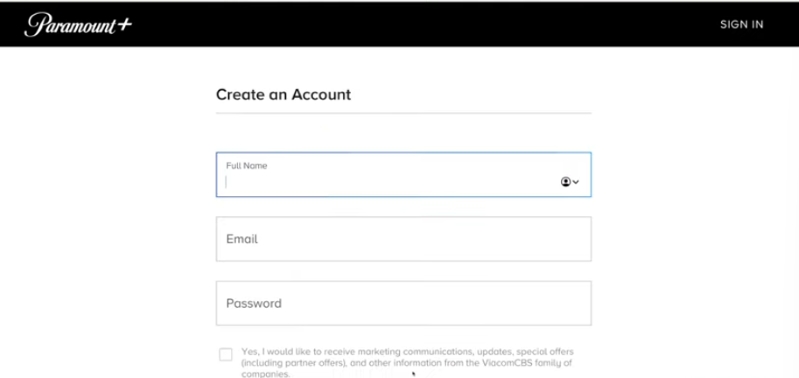
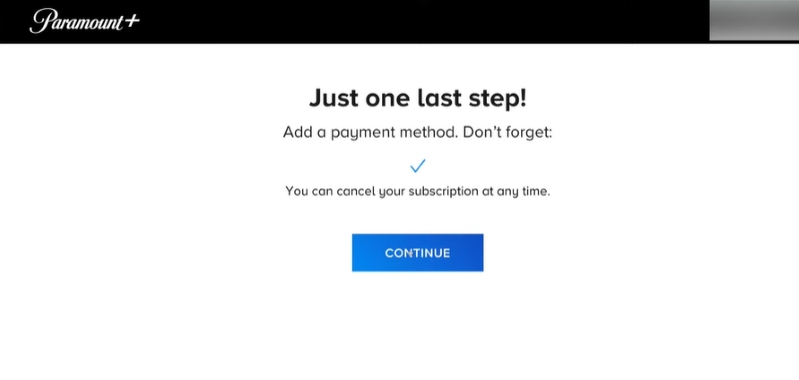
Even when a free trial is available, payment information is required upfront. Charges begin only after the trial ends unless cancelled beforehand. After one is registered, a confirmation e-mail is usually sent. Check your spam folder if you don’t receive the email in your inbox.
Paramount+ Subscription Plans
Below is a general overview of current plans.
Stream in 4K UHD, Dolby Vision, or HDR10
Download movies and shows on mobile for offline viewing
Access live CBS streaming
Full access to SHOWTIME® content
Access to 40,000+ movies and TV episodes
Stream on up to 3 devices simultaneously
Watch NFL on CBS & UEFA Champions League matches
Stream UFC live fights and more
Access select SHOWTIME® series
Editor words: Annual subscriptions are more cost-effective than monthly ones, offering the equivalent of two months free. If you are a new Paramount+ user and only plan to watch on Roku TV, you can start with Paramount+ Essential ($8.99/month). If you have subscribed to Paramount+ before and want a better ad-free experience on Roku TV, then Paramount+ Premium ($139.99/year) is recommended.
How to Install Paramount Plus on Roku TV
In general, Paramount Plus is easy to set up on Roku. It can be installed in a variety of ways, such as the Roku itself, desktop browser and Roku app.
Way 1. Get via Roku Channel Store
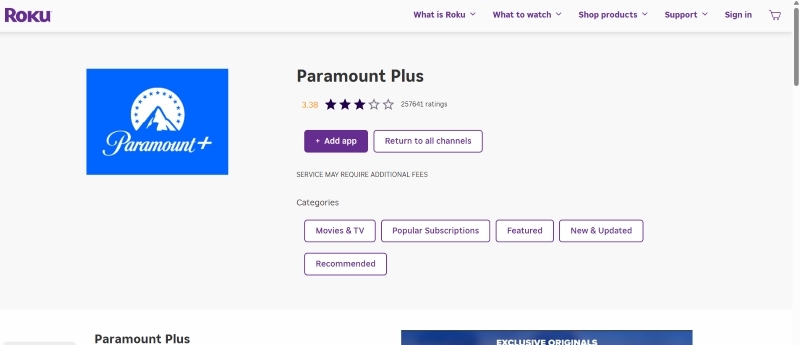
This method allows you to add apps or channels to your Roku TV remotely. You will need your Roku account and a browser connected to the internet ready first.
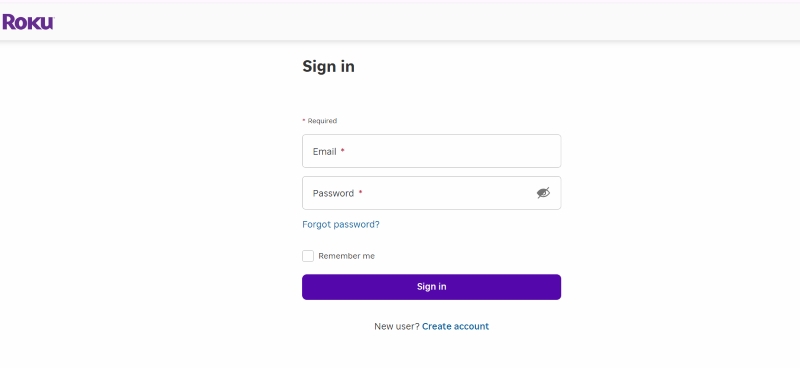
- Access https://channelstore.roku.com/ and sign in to your Roku account (or create an account if you don’t have one).
- Search for Paramount Plus and click + Add app to add it to your Roku TV. After a while, generally within several minutes, Paramount+ app will be shown on your device.
Way 2. Install Through TV’s Streaming Channels
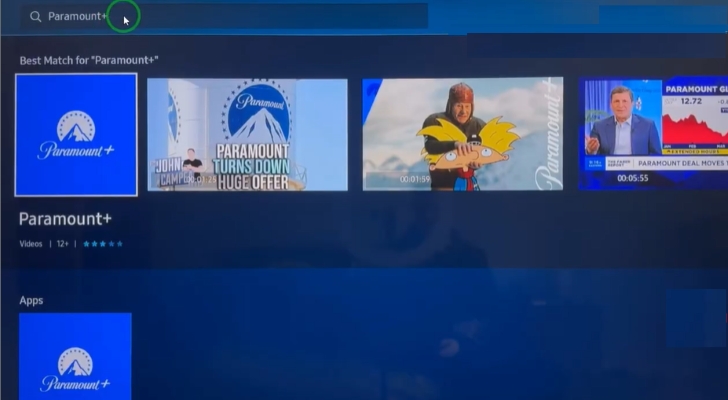
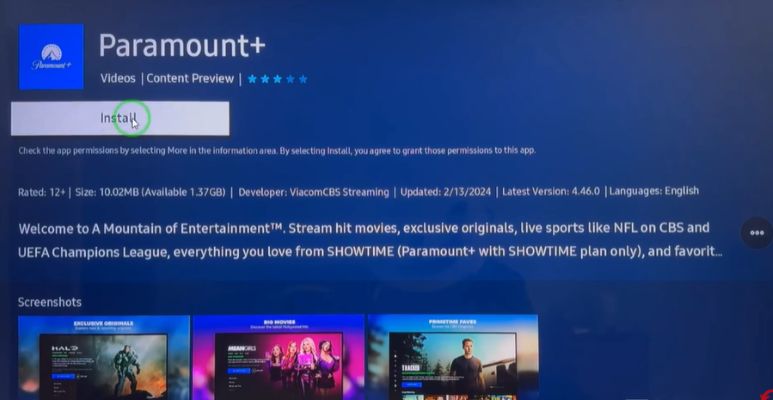
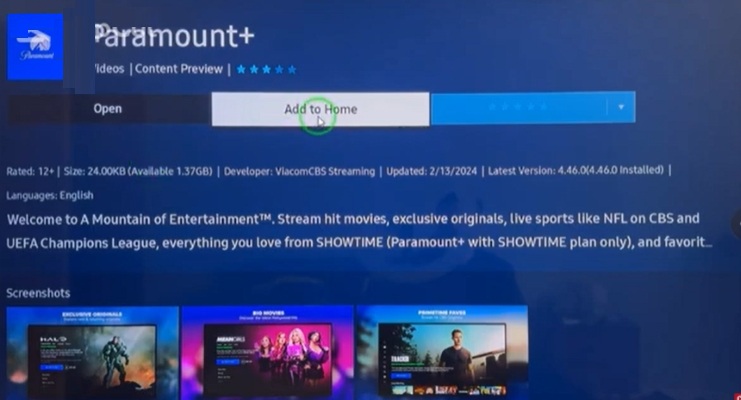
Paramount Plus can be installed directly on your Roku TV via the inbuilt store and it is relatively easy. Here are the steps.
- Go to the TV homepage.
- Locate and select the Search option.
- Type Paramount Plus in the search bar.
- Select the Paramount Plus app from the results.
- Click Install and wait 2–3 minutes.
- Once installed, choose Add to Home for quick access.
Way 3. Install via Roku Mobile App
Roku mobile apps can not only enable you to control the TV playback but also allow you to install apps like Paramount+. It works similarly to getting apps via the online Roku Channel Store but provides more convenience.
Steps to Get Paramount+ via Roku Mobile App:
- Open Roku mobile app on your phone and login it.
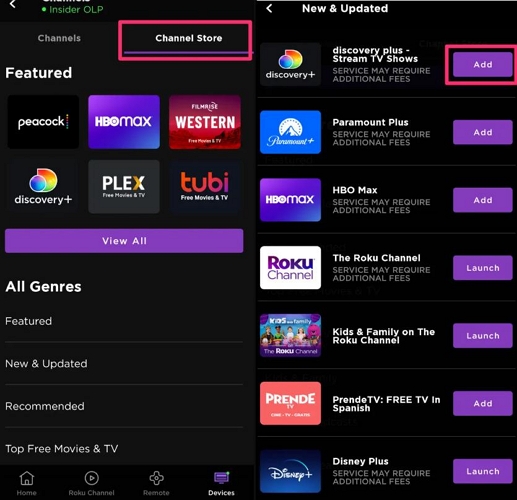
- Switch to Devices in the bottom pane and choose Channel Store in the top menu.
- Tap View All and find Paramount Plus. Then, hit Add to install it on your Roku device.
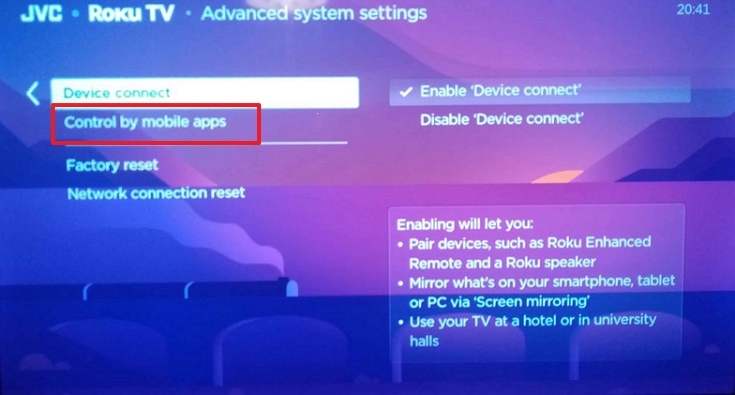
Tip: Ensure that your phone and Roku TV use the same Wi-Fi. Otherwise, the application will not identify your TV. To check this, go to Settings > System > Advanced System Settings > Control by Mobile Apps and choose Enabled so that Roku can respond to the commands made in the app.
How to Activate Paramount Plus on Roku TV
Once you install the Paramount+ app on your Roku, you will be required to log in to begin watching. It can be done in two ways and both have their pros and cons depending on what one feels comfortable with. Using your email and password is the quickest way to sign in. You can type them on the TV by using the remote and directly go into the shows. Sometimes, typing on a TV is slow or clumsy, a much more convenient option is to use the activation code with a phone or computer.
Option 1: Login Directly on Roku
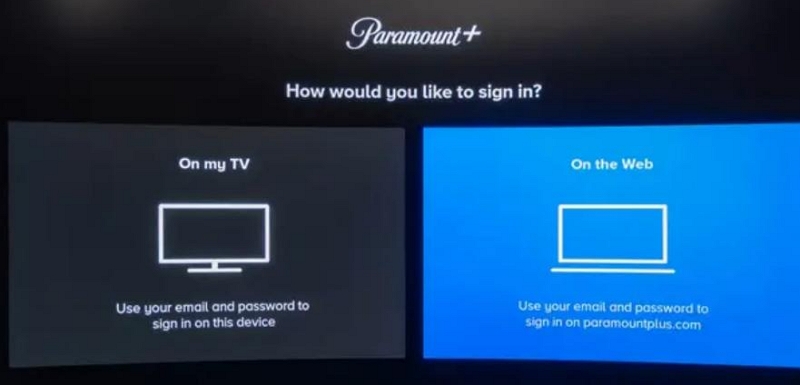
- Select Sign In on the Paramount Plus application using the Roku remote.
- Choose On my TV and enter the email and password used to access your Paramount+ account.
- After signing in, the app is now all set to stream all your content instantly.

Option 2: Login with Code
- In the Roku’s Paramount Plus channel, choose Sign in.
- Select On the Web this time.
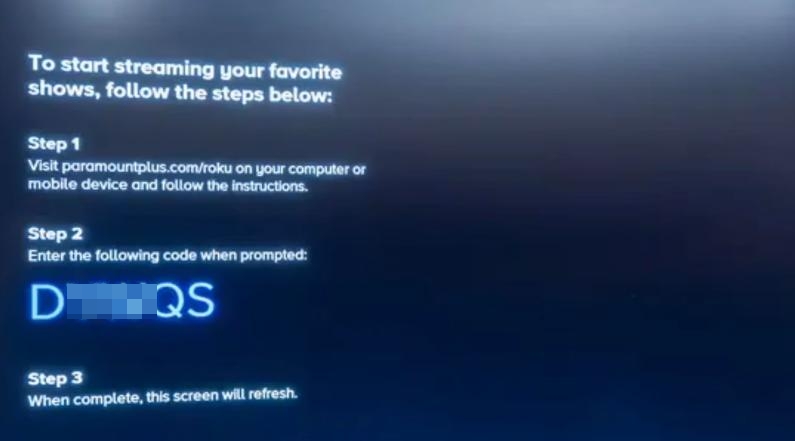
- Then, you will see an activate code on the TV screen.
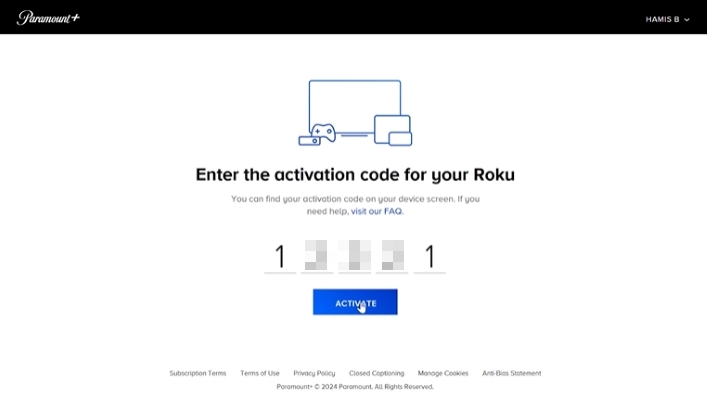
- Visit https://www.paramountplus.com/activate/roku/ on a browser and enter the activation code displayed on your Roku TV screen and click Activate.
- Once the code is accepted, your Roku app will refresh and start streaming.
How to Watch Paramount Plus on Roku TV
Once the app has been installed and subscribed to, it is easy to browse and stream your favorite movies and shows on the Roku interface. However, note that Roku Paramount+ app doesn’t support offline watching. If you want to watch Paramount+ offline on Roku, we will tell you how to get it done with the help of Mediaio Video Converter and USB drive.
Stream Paramount Plus on Roku TV
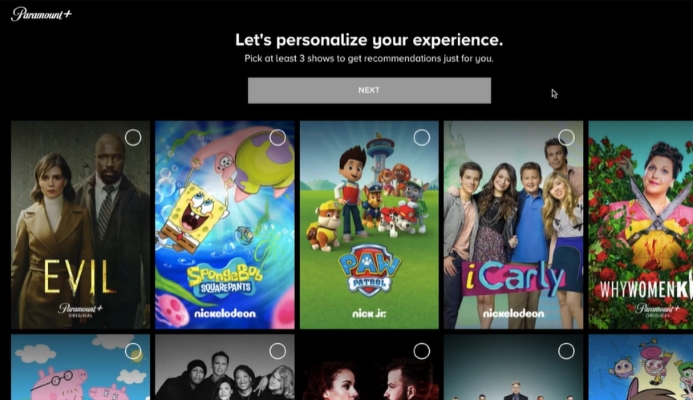
After logging in Paramount+ on Roku, you can pick up the remote and press the OK/Play button to enter a favourite program. You are also able to stop, replay, forward, or even switch like subtitles with the use of the remote.
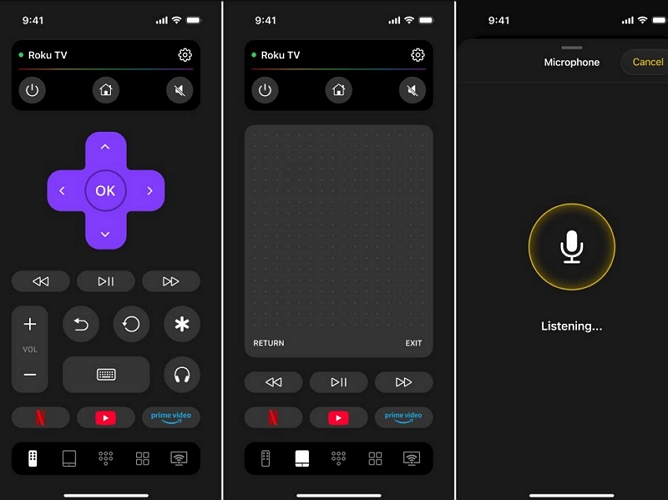
If your remote is broken, you don’t have one, or you want more convenient playback control, the Roku mobile app is worth using. It’s especially helpful when you need to enter text to search for channels. You can type directly instead of clicking the remote buttons one by one.
Watch Paramount Plus on Roku TV Offline
Roku doesn’t support offline streaming of apps like Paramount +. However, don’t worry. You can still watch Paramount+ offline on Roku. The best way out is to save Paramount+ videos to USB using a tool like Mediaio Video Converter and then play the offline videos on Roku through the USB. By watching Paramount+ offline, you can avoid many playback issues, such as buffering, log in failure, or lack of internet.
Step 1: Save Paramount Plus Videos to USB
To export Paramount Plus videos to USB, you need to convert and save the videos as local MP4 or other formats first and Mediaio Video Converter can help you complete the conversion. Mediaio supports popular formats, including MP4, MOV and MKV. This means that the videos will be compatible with most devices and Roku is one of them. The saved Paramount Plus videos will be in HD or 4K quality and their captions can be downloaded as SRT or VTT, based on your needs. Besides Paramount Plus, you can also use Mediaio to save videos offline from Netflix, Amazon Prime, YouTube, Tiktok, etc.
Tip: Before saving the videos to your USB drive, ensure the drive is formatted as FAT32 or NTFS that is compatible well with Roku TV.
Step 2: Watch Paramount Plus Videos on Roku Through USB
It is easy to watch Paramount+ videos on a Roku TV after the USB drive is configured with the downloaded materials. Once the USB is plugged in, the videos may be accessed and shown immediately, thus making offline viewing fast and without any problems at all. This process will guarantee that favorite programs and films are always available to play even in the absence of the internet.
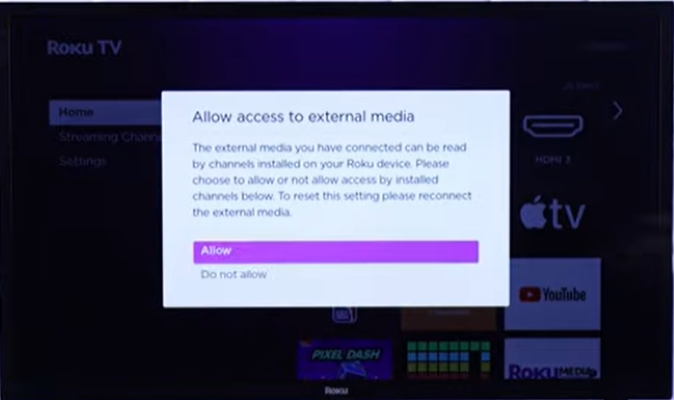
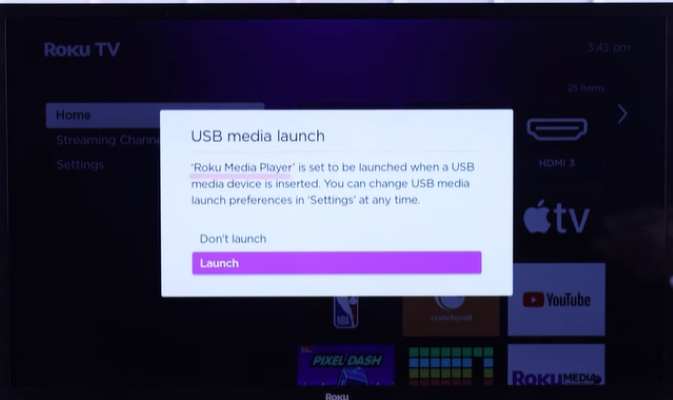
- Plug the USB into the Roku TV. When prompted, select Allow to give access to external media.
- Launch the Roku Media Player app.
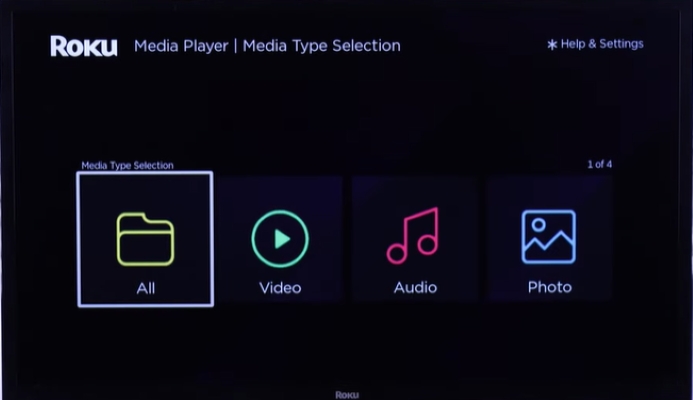
- Inside the app, select the media type (video, music, photos) or choose All to browse everything.
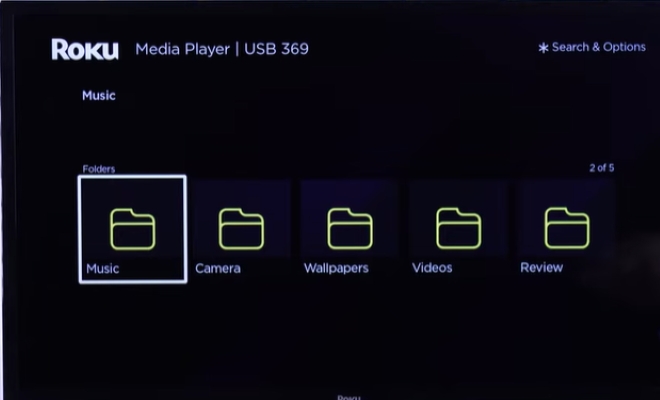
- Navigate to the folder in USB containing your Paramount Plus videos and select the file to play.
Final Words
Paramount Plus on Roku gives access to a wide range of movies, shows, and live events. But initially, it might be difficult to set up. With the help of this guide, which includes account creation, app installation, and even offline watching through USB, you will learn how to enjoy Paramount+ videos on your Roku smoothly.