

Watching Hulu on the Nintendo Switch makes sense because it gives you a bigger screen than most phones while still being portable enough for travel, flights, or relaxing anywhere. It’s a fun all-in-one device for both gaming and streaming. But when you search your Switch, you may notice the Hulu app is no longer there. So what happened and can you still watch Hulu on Switch? In this guide, we’ll break down the answer and show you the best ways to do it today.
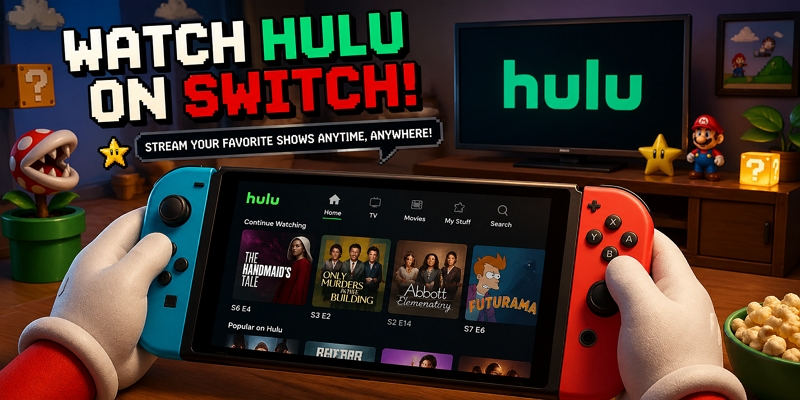
Can You Still Watch Hulu on Nintendo Switch?
If you suddenly noticed that the Hulu app on your Nintendo Switch no longer works, or you just found out Hulu used to be available on Switch and wanted to try it, you may be confused when you can’t find it in the eShop anymore. The reason is that Hulu has been integrated into Disney’s broader streaming strategy. Instead of continuing as a standalone app on some devices, Hulu content is now being merged into Disney+. However, Disney+ currently does not have an official app for Nintendo Switch, which means there is no direct way to access Hulu content on the console right now through official apps. Don’t worry, there are still a few tricks that let you watch videos on your Switch, either online or offline. We’ll cover them in the next section.
What Streaming Services Are Available on the Nintendo Switch?
Currently, YouTube and Crunchyroll are the only major official streaming apps available on Nintendo Switch. While the Switch doesn’t support dedicated music streaming services, you can still use YouTube to listen to music.
How to Watch Hulu on Nintendo Switch via Inbuilt Browser
Some users mention using the Nintendo Switch hidden browser to access Disney+ and, if their account includes Hulu through a bundle or linked subscriptions, they can see Hulu content inside Disney+. Although this method may work, there are a few important things you should keep in mind.
Steps to Watch Hulu on Switch via Hidden Browser
Important Note: After watching Hulu on your Switch, don’t forget to go back and change your DNS settings to Automatic/Default, so your internet works normally again.
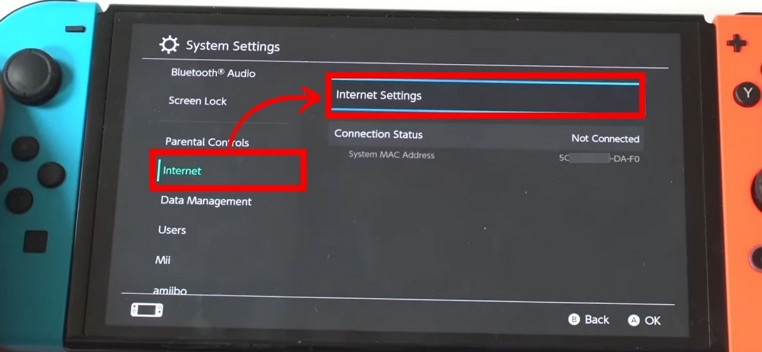
Step 1: Open System Settings, then go to Internet > Internet Settings.
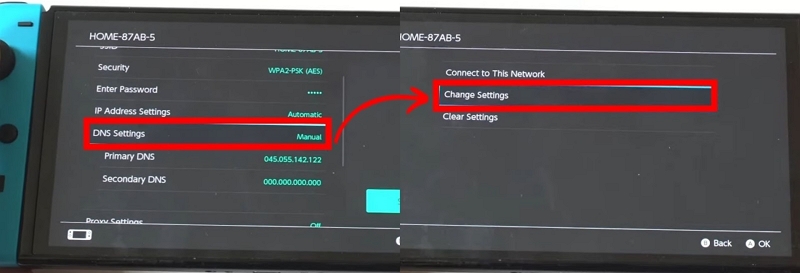
Step 2: Select your Wi-Fi network and open Change Settings.
Step 3: Scroll down to DNS Settings and switch it to Manual.
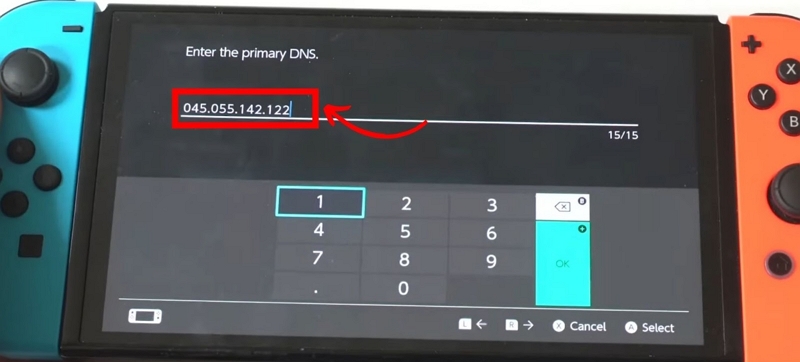
Step 4: Enter this in Primary DNS: 045.055.142.122
Step 5: Save your settings and confirm everything.
Step 6: Reconnect to the network and let the Switch run a connection test.
Step 7: If it works, you may see a Continue to Google option appear after a short wait.
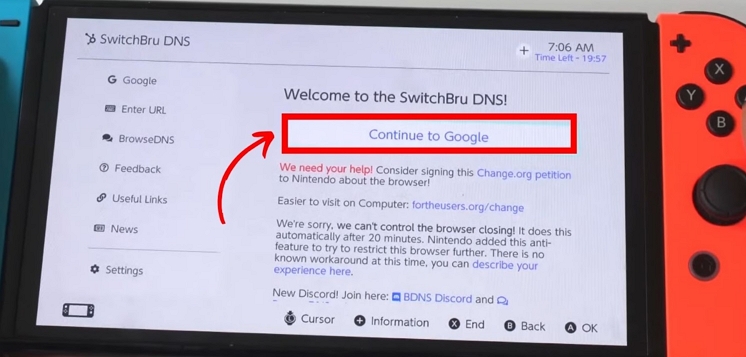
Step 8: Search for Disney+, try logging in, and see if streaming works. Finally, access Hulu in Disney+ browser and start enjoying your movies or shows.
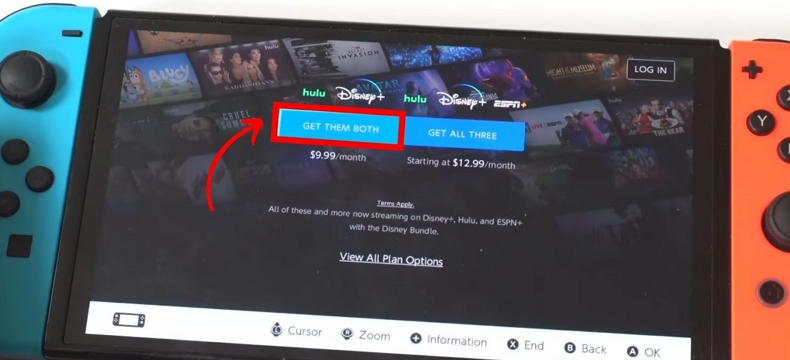
Tip: To access Hulu inside Disney+, there are specific account requirements. Below are the types of accounts that are compatible with both Disney+ and Hulu integration.
How to Watch Hulu on Nintendo Switch Using SD Card
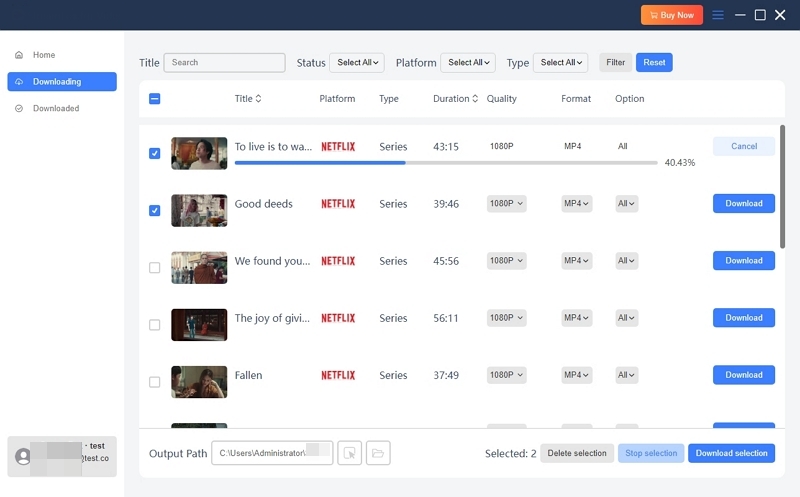
This method not only allows you to watch Hulu on your Switch, but also lets you do it offline. If you want, you can also use the same approach to access other streaming content, such as Netflix or Prime Video on your console. To use this method, you need to use Mediaio Video Converter on your desktop to save Hulu videos as local files such as MP4 or MOV. Then transfer the videos to an SD card, and finally use the SD card on your Switch to watch the videos offline.
Steps to Watch Hulu Videos Offline on Nintendo Switch Through SD Card
Step 1: Save Hulu vides as local files via Mediaio
Step 2: Transfer Saved Videos to an SD Card and Watch Them on Your Switch
Step 1: Place the SD card into your computer and obtain the Hekate bootloader to set it up for Android installation. Remove the SD card, place it into your Switch, link the Switch to your PC with the USB-C cable, and insert the RCM jig.
Step 2: Turn off the Switch. Next, press and hold Volume+ and Power to access RCM mode. Inject the Hekate payload to initiate the bootloader.
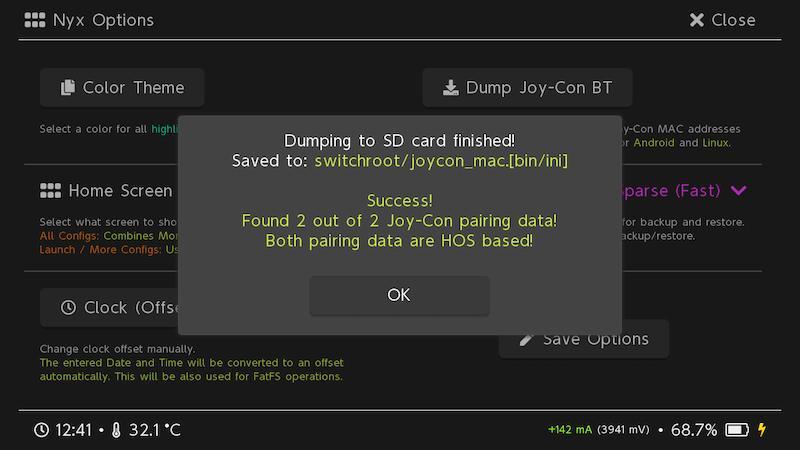
Step 3: Take off the RCM jig. Select Nyx Options and connect both the Bluetooth and rail-linked Joy-Cons. Launch the Hekate partition tool and choose Partition SD Card. Assign 16GB (or greater) for Android installation.
Step 4: Reconnect the Switch to the PC, activate SD UMS, and transfer the Android OS files to the root directory of the SD card.
Step 5: Properly remove the SD card. On the Switch, select Flash Android, accept the prompt, and enter recovery mode with TWRP.
Step 6: In TWRP, choose Micro SD card for the installation process. After installation, start Android and automatically pair the Joy-Cons.
Step 7: Reboot the Switch. You can now launch the Android system, find your downloaded Hulu MP4 files, and view them offline with the Media Player app or homebrew.
Conclusion
Now you know how to watch Hulu on your Switch. Although there is no official way to do it, if you really want to access Hulu on your device, you can either use the built-in browser or save the videos to an SD card using Mediaio Video Converter.