

Finding a good TikTok thumbnail downloader isn't always easy. Some downloaders return low-resolution images, others overwhelm users with advertisements and redirects. Also, a few fail to generate thumbnails altogether. Whether you're collecting creative inspiration, researching competitors, preparing presentations, or saving reference material, these issues can quickly become frustrating.
To find the best TikTok thumbnail downloaders, we tested 18 popular tools using the same TikTok video under identical conditions and evaluated several parameters to help you choose the right downloader.
How We Tested TikTok Thumbnail Downloaders to Select the Top 10
As more and more TikTok thumbnail downloaders become available, distinguishing the reliable tools from the rest becomes increasingly difficult. Each tool takes a slightly different approach. The best options should perform consistently across download speed, image quality, usability, and overall workflow rather than excelling in just one area.
Before compiling this list, we tested a wide range of TikTok thumbnail downloaders and selected the 10 that performed best during our evaluation.
Our Testing Process
Top 10 TikTok Thumbnail Downloaders: Reviews and Test Results
To simplify your decision, we've highlighted the top-performing TikTok thumbnail downloaders from our testing. If you'd like to understand why each downloader earned its place, you'll find our complete hands-on reviews and test results immediately afterward.
Our Top TikTok Thumbnail Downloader Picks at a Glance
Before getting into the individual reviews, let's highlight the TikTok thumbnail downloaders that stood out in our evaluation. For a quick overview, the table below compares each tool's rating, recommended use case, and key strengths.
1. TikTok Thumbnail Downloader
Site: https://tiktok.coderobo.org/
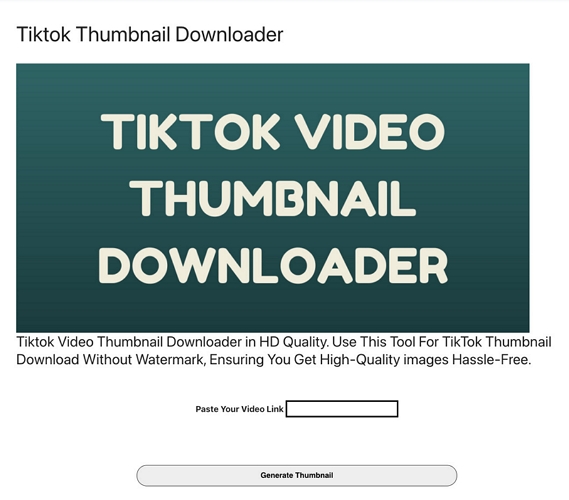
TikTok Thumbnail Downloader is a dedicated web-based tool. It helps extract cover images from public TikTok videos using only the video URL.
During our evaluation, it generated an HD thumbnail within seconds. It didn’t require registration, demonstrating a fast and straightforward browser-based workflow.
Steps to Download TikTok Thumbnail with Tiktok Thumbnail Downloader
Step 1. Copy the TikTok video URL before opening the downloader.
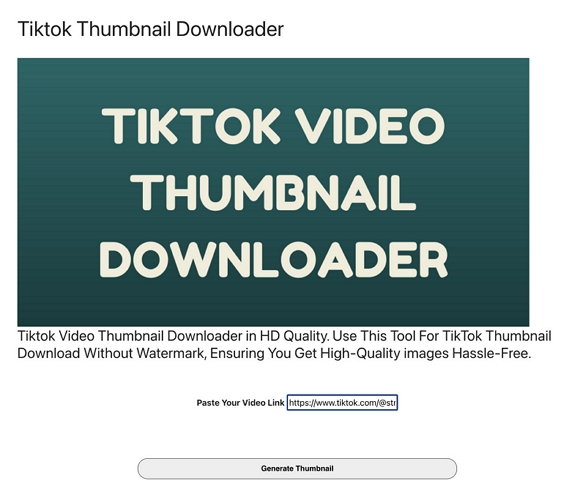
Step 2. Visit TikTok Thumbnail Downloader and enter the copied video link into the search field.
Step 3. Click Generate Thumbnail to retrieve the video's cover image.
Step 4. Once the thumbnail is generated, preview it and select Download Thumbnail.
Step 5. Save the HD thumbnail directly to your device.

Test Results
Review
Advertisements occupied a significant portion of the interface, but they didn't make it difficult to locate the URL input field. The thumbnail was generated within a few seconds, providing a clear preview before the final download. The Download Thumbnail option became available once the preview loaded, enabling the image to be saved directly to the device without registration.
Overall, the workflow was quick and reliable, completing in just over a minute despite the ad-heavy browsing experience.
2. TokPortal
Site: https://www.tokportal.com/tool/tiktok-thumbnail-downloader
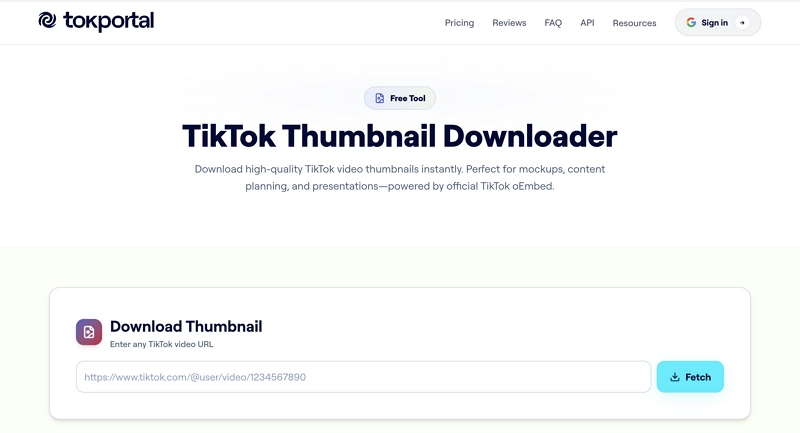
TokPortal is more than a standalone TikTok thumbnail downloader, integrating additional creator tools for TikTok and Instagram into the same platform. It remains simple enough for beginners.
Steps to Save TikTok Thumbnail with TokPortal
Step 1. Open TikTok and locate the video. Then, copy the video link.
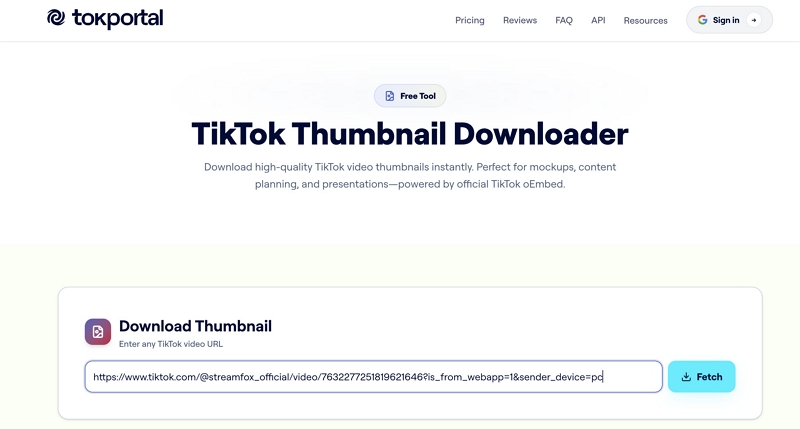
Step 2. Open TokPortal in the browser and paste the video URL into the designated input box.
Step 3. Click Fetch to generate the thumbnail.

Step 4. Preview the image and select Download HD.
Step 5. Save the downloaded thumbnail to your local storage.
Test Results
Reviews
The clean interface immediately stood out, making the downloader easy to navigate without requiring registration or unnecessary setup.
After pasting the TikTok URL, the tool quickly generated a thumbnail preview and displayed the "Download HD" option.
Although TokPortal promotes paid creator plans elsewhere on the platform, the thumbnail downloader itself remained free and uncomplicated throughout our evaluation.
3. Thumb Downloader
Site: https://www.thumbdownloader.com/tiktok-thumbnail

Thumb Downloader approaches thumbnail extraction differently, generating multiple preview assets rather than a single cover image. It offers the widest selection of thumbnail assets among the online tools, giving users more flexibility before downloading an image.
Steps to Export TikTok Thumbnail Using Thumb Downloader
Step 1. Open Thumb Downloader and add the copied TikTok video URL to the search box.
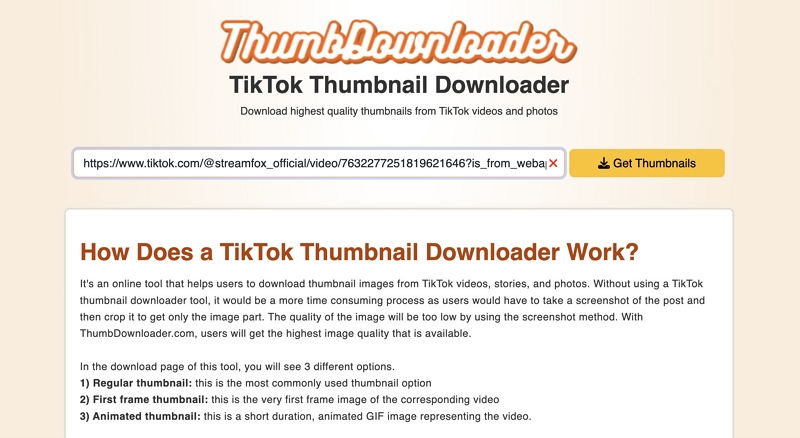
Step 2. Click Get Thumbnails to load the available thumbnail options.
Step 3. Choose the thumbnail you want to download.
Step 4. Open the selected image in a new browser tab.
Step 5. Save the image to your device.

Test Results
540 × 976; PNG
Reviews
Thumb Downloader delivered the cleanest browsing experience of the online tools we tested.
Just as the URL was submitted, it generated multiple downloadable assets. This includes the highest-quality thumbnail, the video's first frame, and an animated thumbnail. Each option was accompanied by useful video details.
Unlike the previous tools, selecting “Download” opens the image in a new browser tab instead of saving it automatically. Although this added one extra step, the images retained their original quality and were easy to save manually.
The absence of advertisements and the variety of thumbnail options made the overall experience feel more polished and flexible.
4. Thumbnail-Downloader
Site: https://thumbnail-downloader.com/tiktok/
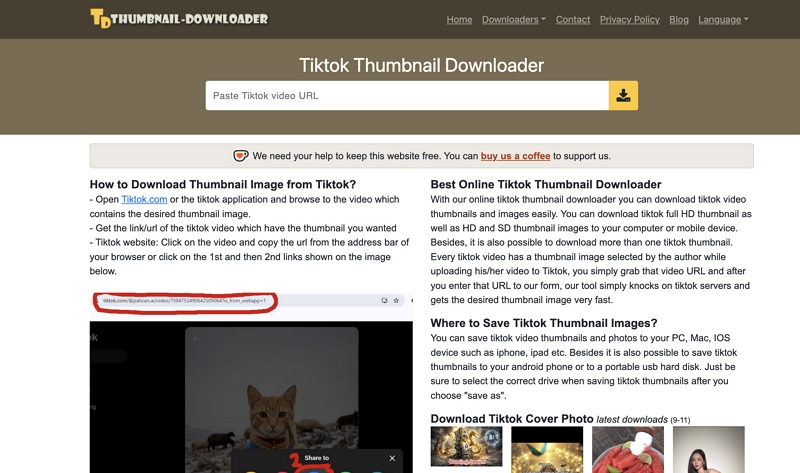
Thumbnail Downloader keeps the process simple with a streamlined workflow designed for fast and hassle-free TikTok thumbnail extraction. The tool focuses on a straightforward browser-based workflow for generating and downloading TikTok thumbnails.
The tool maintained the original cover image quality while providing one of the simplest workflows we tested.
Steps to Use Thumbnail-Downloader to Download TikTok Thumbnail
Step 1. Copy the TikTok video URL before opening the downloader.
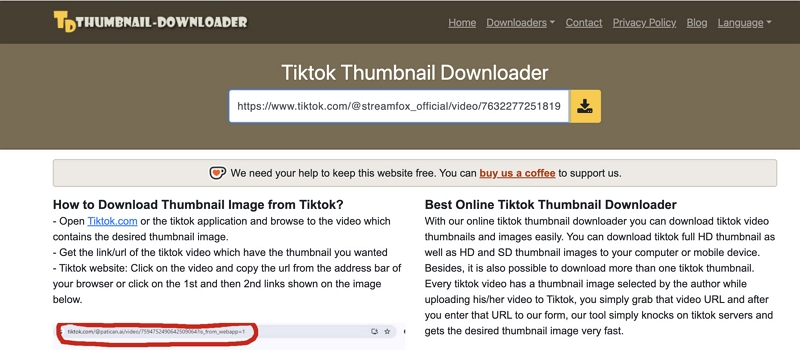
Step 2. Open Thumbnail Downloader and paste the video URL into the search field.
Step 3. Click the yellow download arrow beside the input field.

Step 4. Wait for the thumbnail preview to appear.
Step 5. Right-click the generated thumbnail and use Save Image As to download it locally.
Test Results
Reviews
Thumbnail Downloader offered a cleaner interface with minimal advertising and a smoother overall experience.
Unlike some downloaders that save the image directly, this tool requires manually saving the preview using the browser's Save Image As option. Even with that extra step, the process remained straightforward and the downloaded PNG file retained its original image quality.
5. Tik Video Downloader: TT Saver
Tik Video Downloader Tok Saver is a mobile application that combines TikTok video downloading with thumbnail extraction through a built-in workflow. The app relies on downloading the full video before making the thumbnail available, making it better suited to users who primarily save TikTok videos.
Steps to Extract TikTok Thumbnail via Tik Video Downloader Tok Saver
Step 1. Install and open Tik Video Downloader Tok Saver on your Android device.
Step 2. Start by opening the TikTok app and finding the desired video. Then copy its URL.

Step 3. Return to TT Saver, paste the copied URL into the search field, and tap Download.
Step 4. Download the video using the floating download button.
Step 5. Open the History page and access the downloaded thumbnail from the Image section or your device's Gallery.
Test Results
Reviews
TT Saver guided us through a structured mobile workflow that began by opening TikTok in its built-in browser, then required the video link to be copied and pasted back into the application.
After downloading the video, the thumbnail was automatically saved under the app's Image section and simultaneously stored in the device's Gallery.
Although the thumbnail quality was good and watermark-free, the process involved considerably more steps than the online downloaders we tested.
We also encountered several advertisements throughout the workflow and the app didn't provide a thumbnail preview or the option to select a custom video frame before saving.
6. TikSave Downloader for TikTok
With TikSave Downloader for TikTok, users can download TikTok videos, audio, and cover images separately without leaving the same interface. The app can immediately identify the video's cover after the URL was pasted, making thumbnail extraction considerably more direct than with most mobile alternatives.
Steps to Save Download TikTok Cover with TikSave Downloader for TikTok
Step 1. Install and open TikSave Downloader for TikTok on your Android device, then grant the required media permissions.
Step 2. Enter the copied TikTok video URL into the input field.
Step 3. Tap Download to let the app detect the available media.
Step 4. Select Cover from the available download options to open the thumbnail preview.
Step 5. View the thumbnail, then access it later from the Downloads section within the app.

Test Results
Reviews
TikSave Downloader for TikTok ranked among the fastest mobile downloaders we evaluated.
After pasting the TikTok URL, the app immediately detected the video and presented separate download options for the video, audio, and cover image. Selecting Cover opened a thumbnail preview, allowing us to verify the image before downloading.
The app automatically saved the downloaded cover to its Downloads section, enabling offline access whenever needed without reprocessing the video.
However, the thumbnail wasn't automatically added to the device's Gallery during our testing, and the image appeared slightly more blurred than the HD thumbnails generated by the best online downloaders.
7. TikVid - TikTok Downloader
Designed for mobile users, TikVid - TikTok Downloader specializes in downloading TikTok videos without watermarks. A notable advantage is its built-in tools for copying captions and hashtags. Thumbnail extraction relies on downloading the video first, allowing users to capture any frame instead of being limited to the original cover image.
Steps to Export TikTok Cover with TikVid - TikTok Downloader
Step 1. Install and open TikVid - TikTok Downloader on Android and then grant the required permissions.

Step 2. Enter the copied TikTok video URL into the input field and select Download.

Step 3. Select the HD Video option to download the TikTok video.

Step 4. Open the downloaded video from the Downloads section within the app.
Step 5. Play the video, pause at your preferred frame, and capture it as the thumbnail.
Test Results
Reviews
TikVid - TikTok Downloader specializes in watermark-free video downloads, with original cover image extraction not being one of its primary functions.
After processing the TikTok URL, the app saved the HD video to both the app and the device's local storage. This made it easy to pause on any frame and capture a custom thumbnail.
One of the app's key advantages is the flexibility to capture any frame instead of relying solely on the default TikTok cover image. In addition, it provides convenient tools for copying captions and hashtags.
However, intrusive video advertisements interrupted the workflow and creating a thumbnail still required manually capturing a frame after the video download.
8. SaveTok Go
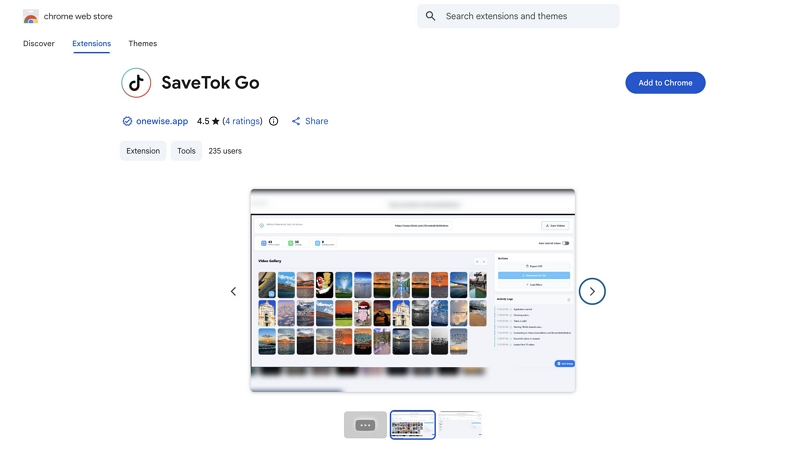
SaveTok Go offers a different experience from most browser-based downloaders by operating directly within Chrome rather than through external websites. It simplifies thumbnail downloads by automatically recognizing TikTok videos, removing the need to copy and paste video URLs into another tool.
Steps to Download Tiktok Thumbnail with SaveTok Go
Step 1. Install the SaveTok Go Chrome extension and open the TikTok video whose thumbnail you want to save.
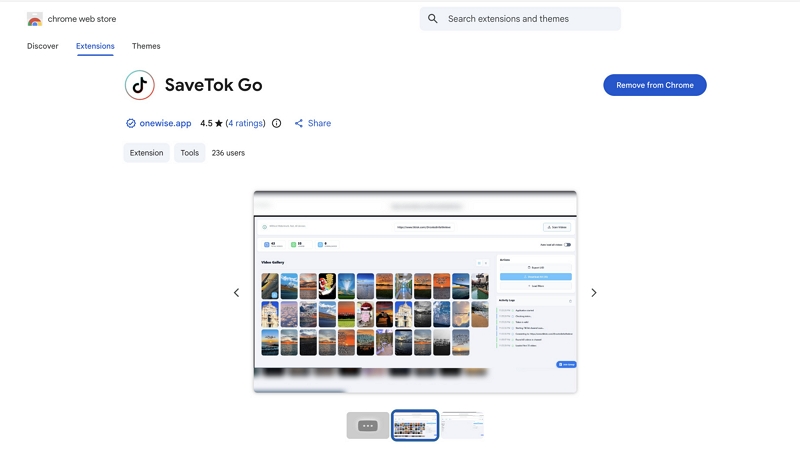
Step 2. Click the pinned SaveTok Go extension from your browser toolbar.
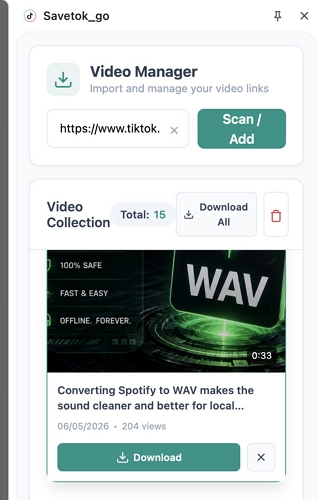
Step 3. In the Video Manager panel, locate the video from your collection.
Step 4. Right-click the selected video and choose Save Image As.
Step 5. Enter a file name, then click Save to download the thumbnail to your device.
Test Results
Reviews
Unlike the online TikTok thumbnail downloaders we tested, SaveTok Go works directly inside Chrome, eliminating the need to copy and paste video URLs.
From the browser toolbar, the extension opened a Video Manager showing recently detected TikTok videos, allowing us to quickly identify the required video and download its thumbnail.
Finding the video within the collection added a few extra seconds compared with the online tools, but the integrated workflow felt more convenient for users who frequently browse TikTok on a desktop.
The downloaded image retained its HD quality, was watermark-free, and was saved locally after assigning a file name.
9. TikPak Downloader

Unlike the other tools in this comparison, TikPak Downloader does not function as a dedicated TikTok thumbnail downloader. Instead, it downloads the original TikTok video first, giving users the flexibility to extract any frame as a custom thumbnail. This approach offers greater flexibility than dedicated thumbnail downloaders, although it required considerably more manual effort.
Steps to Download Tiktok Thumbnail with TikPak Downloader
Step 1. Install the TikPak Downloader Chrome extension before opening the TikTok video.
Step 2. Launch TikPak Downloader from the browser toolbar.
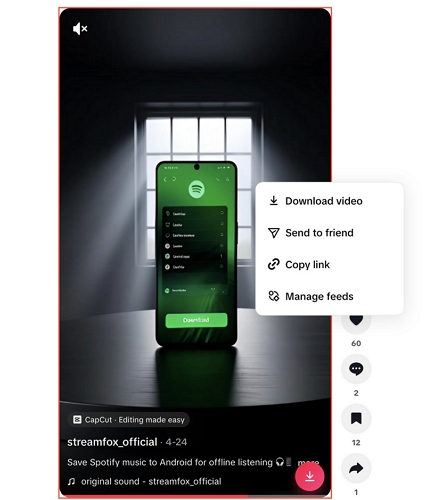
Step 3. Right-click the playing video and select Download Video.
Step 4. Play the downloaded video and pause on your preferred frame to use it as the thumbnail.
Step 5. Right-click the frame, select Copy Image, then paste and save it in your preferred application.
Test Results
Reviews
During our testing, TikPak Downloader stood out by requiring manual thumbnail creation rather than automatically generating thumbnails.
Instead, we first saved the TikTok video, opened it locally, moved to the desired frame, and captured it as an image for use as the thumbnail.
The additional steps made the workflow noticeably longer than with dedicated TikTok thumbnail downloaders. But unlike dedicated thumbnail downloaders, this extension allowed us to select any video frame as the thumbnail. With so many options available, we weren’t limited to the original cover image.
The only drawback was output quality, which depended on the captured frame and wasn't consistently HD.
10. Tiktok Watermark Free Downloader
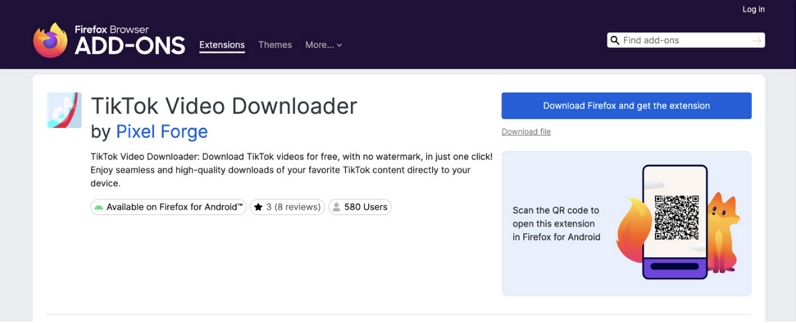
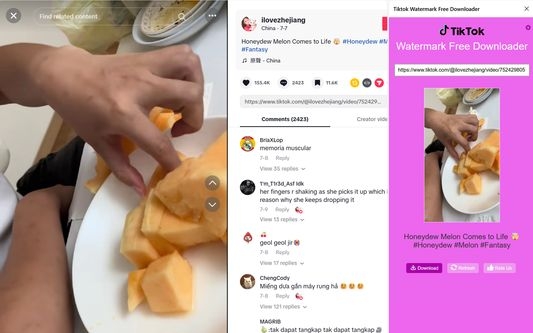
TikTok Watermark Free Downloader enhances the browser experience by placing download controls directly on the TikTok video page. It eliminates several intermediate download steps, although thumbnail extraction still depended on manually capturing a frame from the downloaded video.
Steps to Use TikTok Watermark Free Downloader for TikTok Thumbnail Download
Step 1. Install the Firefox extension and open the TikTok video whose thumbnail you want to use.
Step 2. Click the Save button shown in the video to download the video directly to your device.
Step 3. Open the downloaded video and navigate to the frame you want to use as the thumbnail.
Step 4. Right-click the selected frame and choose Copy Image.
Step 5. Paste the image into your preferred editor or application, then save it as needed.
Test Results
Reviews
The built-in Save button made downloading the TikTok video noticeably quicker than extensions that required opening a separate interface first.
Once the video was saved locally, however, the remaining workflow became entirely manual. We had to play the video, pause at the desired frame, copy it as an image, and save it separately.
Choosing any frame as the thumbnail offered greater flexibility than using the original cover image. But the final image quality depended on the capture method and was not consistently high definition.
How to Download TikTok Videos When There Is No Save Option (No Watermark)
For users who need complete TikTok videos rather than just cover images, a dedicated desktop application is often the more practical option. Mediaio Video Converter is a desktop solution for downloading and converting TikTok videos for local storage. Mediaio offers a more structured workflow than browser-based downloaders. It supports downloads in up to 4K quality without intrusive ads or pop-ups, preserves subtitles in the downloaded video and provides multiple output format, such as MP4 and MKV. If your favorite TikTok video doesn't have a download button, Mediaio can help you save it as a local file easily.
How to Download TikTok Videos into Files Without the Save Option
Step 1. Install and launch Mediaio Video Converter, then paste the TikTok video URL into the search bar. The software automatically detects the video and prepares it for download.
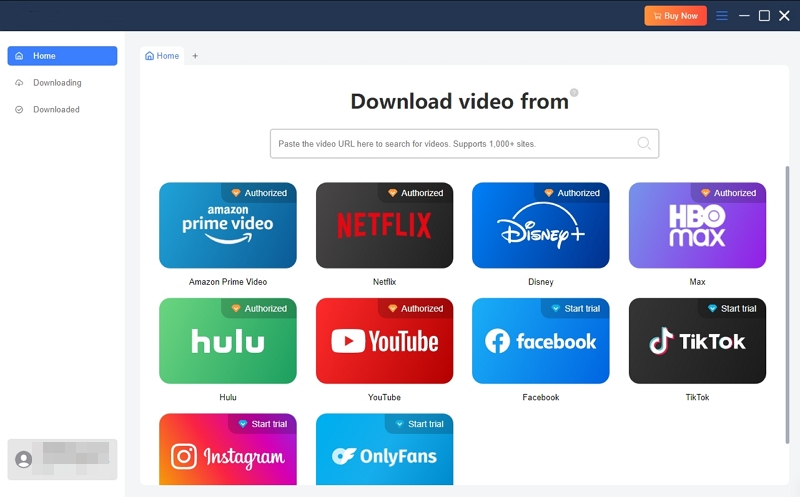
Step 2. Click the cloud icon to add the detected video to the conversion list, where you can review it and prepare it for conversion.
Step 3. Choose your preferred download settings. This includes the output format, video quality, audio language, subtitle options, and save location.
Step 4. Click Download to begin processing the video.
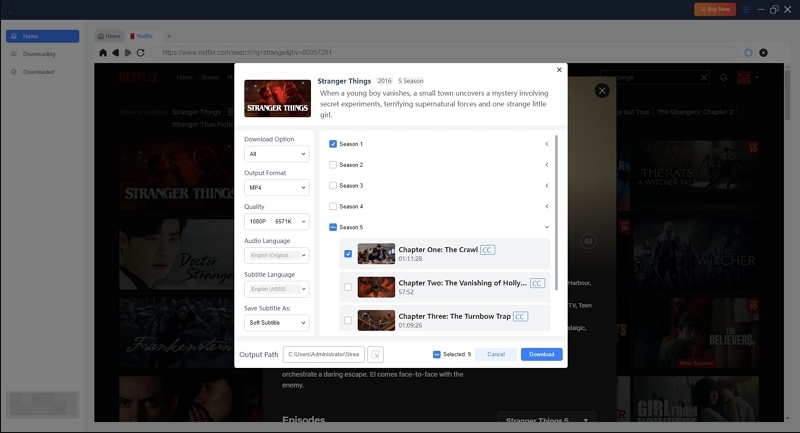
Step 5. Wait until the video has been downloaded. Then, locate it in the designated output folder.
Final Words
That’s all! The right TikTok thumbnail downloader depends largely on your intended use for the downloaded images. To simplify your selection, we evaluated 10 popular TikTok thumbnail downloaders using the same testing criteria. For those whose workflow goes beyond thumbnail downloads, Mediaio Video Converter provides everything needed to download, convert, and manage full TikTok videos from a single application.