

You finally have a long flight ahead — the perfect time to catch up on your downloaded Hulu shows. But the moment you open the app, everything is gone. No episodes, no movies, just an empty downloads page. It's frustrating, especially when you planned around it. Hulu downloads disappearing is more common than you'd think, and it usually happens at the worst possible moment. Don't worry, we'll walk you through exactly why this happens and how to fix it here.
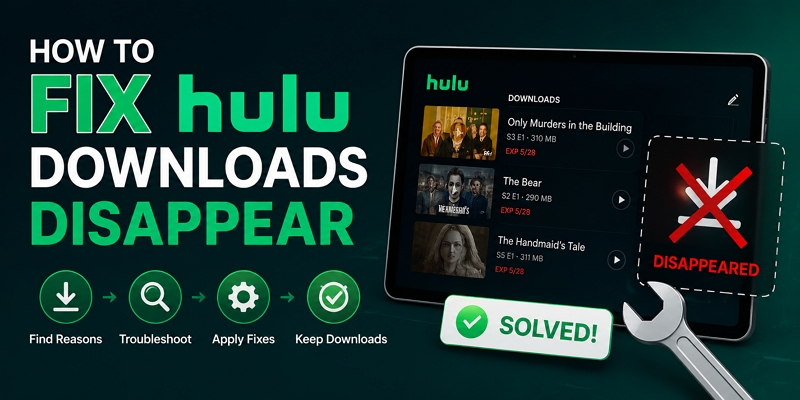
Hulu Downloads Disappear: Overview of Reasons and Fixes
The fastest way to fix missing Hulu downloads is to re-download the content. However, if the issue keeps happening repeatedly, re-downloading can become frustrating and is not a real long-term solution. To fix the problem more effectively, you can use the troubleshooting table below to find the solution that best matches your situation.
How to Fix Hulu Downloads Disappear on iPad/iPhone/Android
Whether you're on an iPad, iPhone, or Android device, the fixes are straightforward, redownloading the content, keeping the app updated, adjusting a background setting, or switching to another platform if the video is no longer available on Hulu. Here's how to work through each fix.
Fix 1. Redownload Hulu Content
This is a practical fix, especially when your Hulu downloads disappear because of Hulu's own restrictions — like when you log out or the app automatically deletes downloads after a certain period.
- Open the Hulu app on your phone, tablet, or supported device.
- Find the movie, TV show, or episode you want to download.
- Tap on the title to open its detail page.
- Look for the download icon next to the episode or under the movie and tap the icon.

Fix 2. Update Hulu
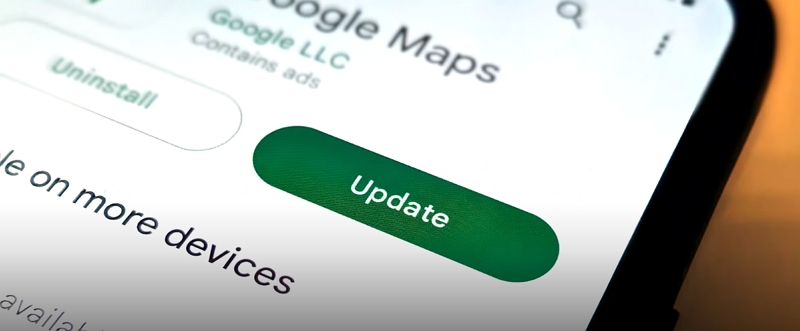
If your Hulu downloads keep disappearing, try updating the Hulu app. Older versions may contain bugs or compatibility issues that cause downloads to not load or sync properly. Updating ensures you have the latest bug fixes and performance improvements from Hulu, which can restore stability to the download feature and prevent content from vanishing unexpectedly.
- Open the App Store (iPhone) or Google Play Store (Android).
- Search Hulu and tap Update next to it.
Fix 3. Turn Off Background App Refresh
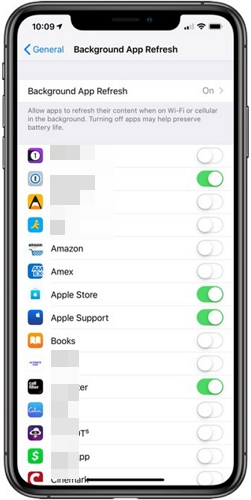
When Background App Refresh feature is enabled, apps are allowed to run and refresh their content in the background. This can interfere with Hulu's download manager, causing it to reset or sync with Hulu's servers. By turning it off, you stop Hulu from running background processes that may trigger this behavior, allowing your downloads to remain stable and intact.
On iPhone
- Open Settings on your iPhone. Tap General.
- Choose Background App Refresh.
- Find Hulu in the list and toggle it off.
On Android
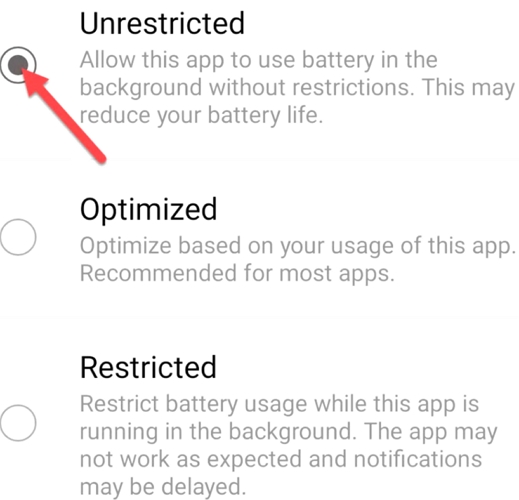
- Go to Settings on your Android device.
- Tap Apps (or App Manager), find and tap Hulu.
- Tap Battery.
- Select Restricted to prevent Hulu from running in the background.
Fix 4. Watch on Another Platform
If the content has been removed from Hulu or your downloads keep disappearing and nothing seems to fix it, switching to another streaming service is a practical workaround. Some movies and TV shows available on Hulu may also be found on other platforms such as Netflix, Amazon Prime Video, or Disney+. Watching the same content on a different service lets you avoid the problem entirely and enjoy your content offline without interruption.
How to Keep Hulu Downloads Until Manual Deletion
If you want to avoid the frustration of disappearing Hulu downloads, the best solution is to use a video converter like Mediaio Video Converter.
Mediaio Video Converter lets you save unlimited movies and TV shows from Hulu without the platform’s usual restrictions. It allows you to save videos in popular formats like MP4, MKV, or MOV, so you can enjoy your favorite content on any device and media player. You can access your downloads beyond the 30-day expiration and watch them without the 48-hour limit.
Moreover, Mediaio supports batch conversion, enabling you to export an entire season of a show with just one click. Its conversion speed is up to 10 times faster than normal, saving you valuable time. Additionally, Mediaio offers various customization options, letting you adjust video resolution, subtitle format and language, and more — all without compromising video quality.
Conclusion
If you’ve faced the disappearing Hulu downloads problem, don’t worry — the solutions discussed in this article will help you fix the issue. We’ve shared some of the common reasons why your Hulu downloads might disappear, so make sure to keep these causes in mind to prevent the problem in the future. Also, remember to use Mediaio Video Converter for your downloads if you want to save your favorite Hulu movies forever without any complications.