

Want to cancel your Hulu subscription on your Roku TV but can’t find the cancel button? There are two possible reasons: either you didn’t subscribe to Hulu through Roku, or there is a temporary issue with the Roku system. So when can you cancel Hulu on Roku? In this article, we will explain the answer and the steps. If you meet the requirements to cancel Hulu on Roku but the cancellation still fails, we will also show you how to fix it.
When You Can Cancel Hulu Subscription on Roku
To cancel your Hulu subscription, you usually need to do it through the same place where you originally subscribed. In other words, if you cancel Hulu on Roku, it means you must have subscribed using Roku Pay on Roku device or site. If you’ve forgotten where you subscribed to Hulu, you can find out by following the steps below:
Step 1: Go to Hulu.com on a desktop or mobile browser and log in to your account.
Step 2: Click your profile icon (usually in the top-right corner), then select Account from the drop-down menu.
Step 3: On the Account page, scroll to find sections labeled Payment Information or Your Subscription.
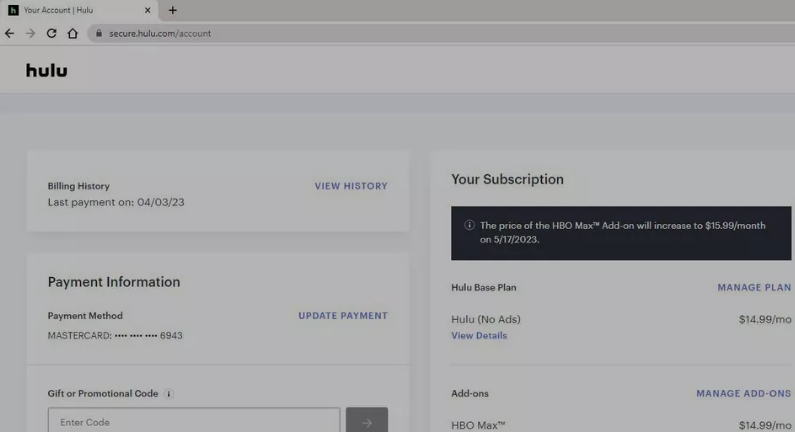
- If you're billed by Hulu: You’ll see your current plan, payment method, and the next billing date.
- If you're billed through Roku: You may see a message like “Your subscription is managed by Roku” or simply no billing information at all.
How to Cancel Hulu Subscription on Roku
If your Hulu subscription is charged via Roku, you can terminate it directly through your Roku device or the Roku website.
Option 1. Via Roku Device
This approach is fast and doesn’t require you to sign into any site.
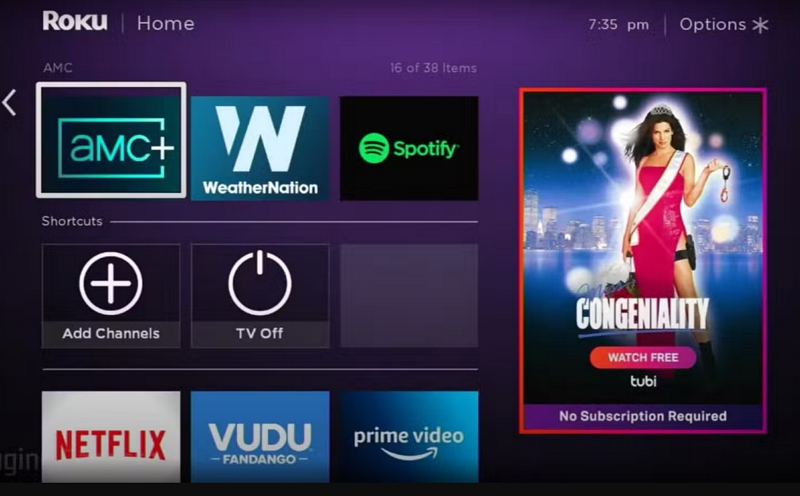
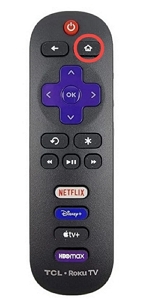
Step 1: Hit the Home button on your Roku remote. Simply go to the Hulu app in your list of channels.
Step 2: On your remote, press the Star (*) button to access the options menu.
Step 3: Click on Manage Subscription.
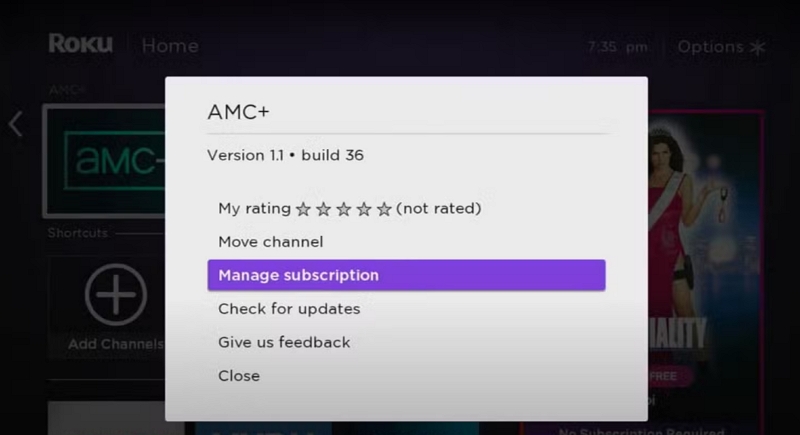
Step 4: Opt for Cancel Subscription.
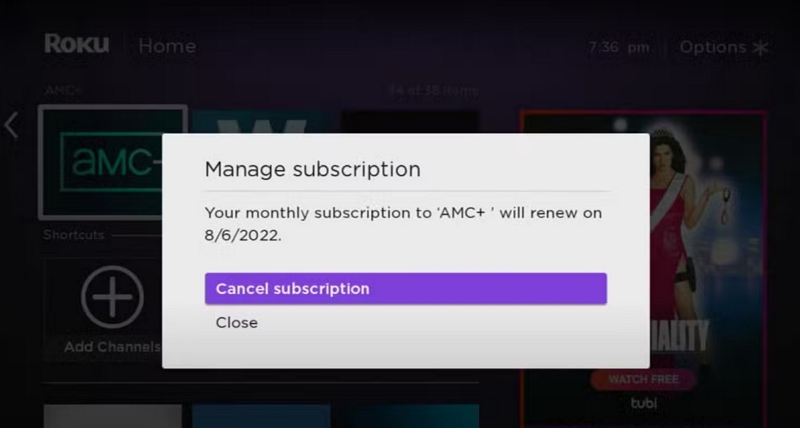
Step 5: Verify your cancellation when asked.
Option 2. Through Roku Site
If you don’t want to use the remote control or you’re not in front of your Roku TV, you can also cancel your Hulu subscription through the Roku website. Just open the browser on your phone or computer and follow the steps below.
Step 1: Visit my.roku.com and log in with your Roku account credentials. After logging in, go to the Manage account area.
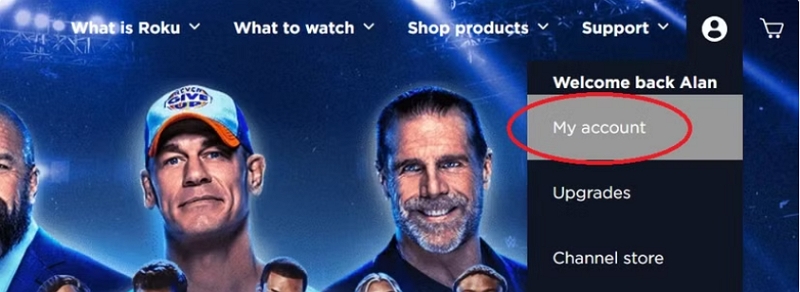
Step 2: Choose My Subscriptions.
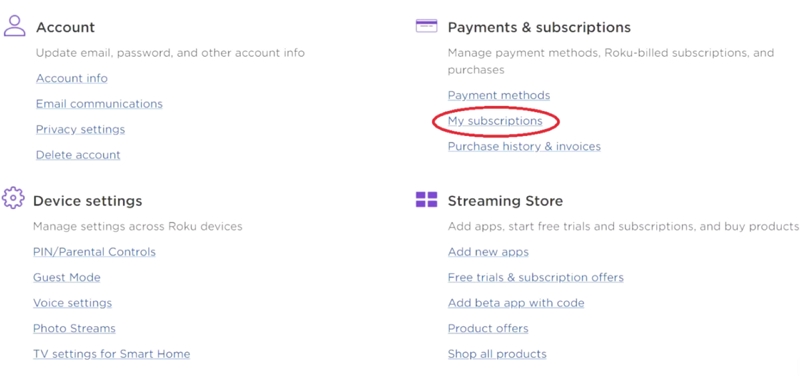
Step 3: Locate Hulu and select Unsubscribe adjacent to Hulu. Adhere to the on-screen instructions to verify the cancellation.
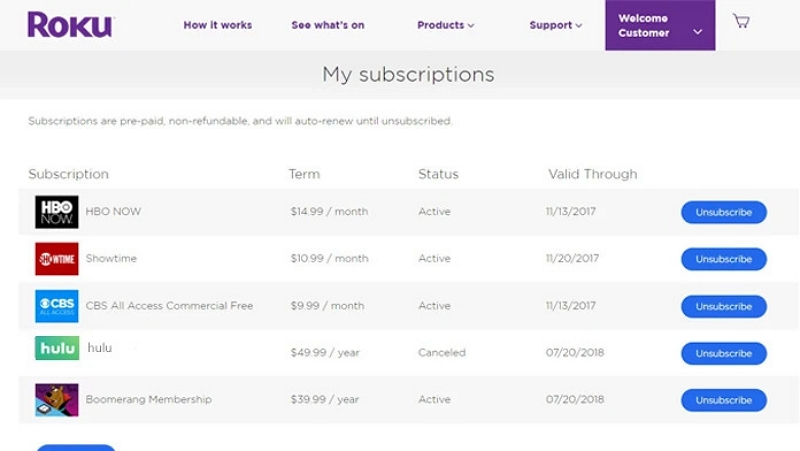
Step 4: Once you cancel, a confirmation message will be sent to you.
Option 3. Using Roku App
This is an easy-to-overlook method. If you have the Roku app installed on your phone, you can use it to cancel your Hulu subscription.
Step 1: In the lower-right corner of your Roku mobile app, tap Account.
Step 2: Tap Payments and subscriptions.
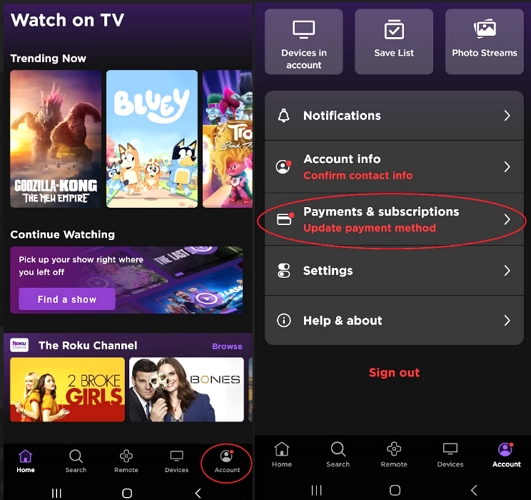
Step 3: Select Hulu and tap Cancel subscription. Follow the on-screen instructions to confirm your cancellation.
Can't Cancel Hulu Subscription on Roku?
If you are in the same situation as the user below, where you subscribed to Hulu on Roku but are unable to cancel it, you can contact both Hulu and Roku customer support for assistance.
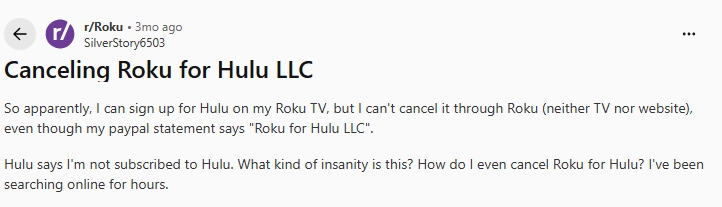
You can also try logging in to the Hulu website using your Roku account to cancel your Hulu subscription:
Step 1: Go to the Hulu or Disney+ login page and choose Log in with Roku and use the email connected to your Roku account. Alternatively, you can sign in with the same email and reset your password.
Step 2: Click your profile picture (top-right) > Account.
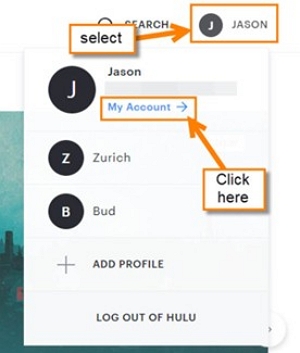
Step 3: Scroll down to Your Subscription.
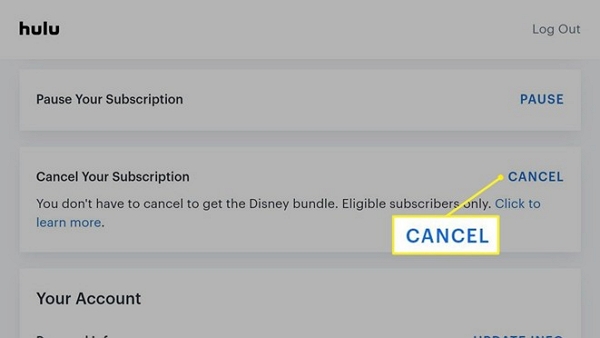
Step 4: Click Cancel beside your plan. Hulu may offer to pause your subscription or suggest discounted plans.
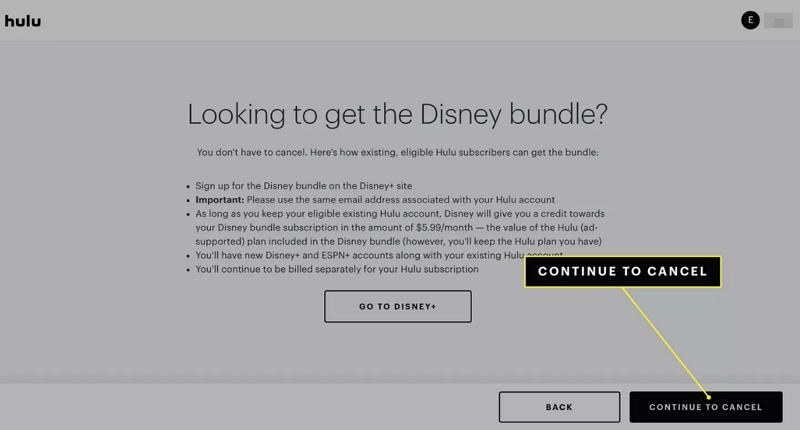
Step 5: Click Continue to Cancel and confirm.
What Happens After Cancellation?
- Your Hulu access will remain active until the end of your current billing period.
- After that, the subscription will end automatically, and you won’t be charged again—unless you decide to resubscribe later.
Bonus: How to Cancel Hulu Subscription on iPhone/Android
On your phone, there are five ways to cancel your Hulu subscription, depending on how you signed up, including Hulu directly, Apple (iPhone/iPad), Google Play (Android), Roku app, and Amazon Prime app. Below are the steps for the three most common methods.
Way 1. Cancel via Hulu Site
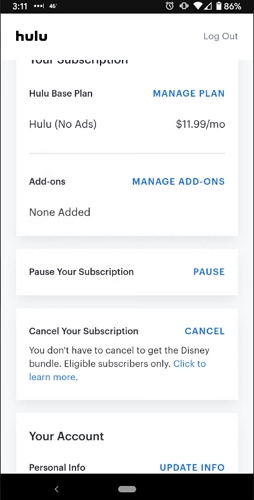
- Open a browser on your mobile, go to Hulu.com and log in to your Hulu account.
- Tap your Profile icon.
- Go to Account. Scroll down to find Cancel Subscription.
- Follow the on-screen instructions to confirm cancellation.
Way 2. Cancel via iPhone Settings
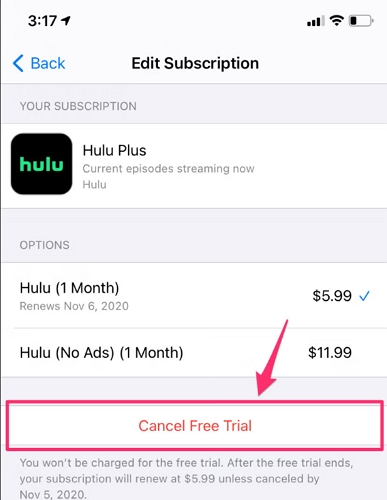
- Open Settings and tap your Apple ID.
- Select Subscriptions.
- Find Hulu and tap Cancel Subscription.
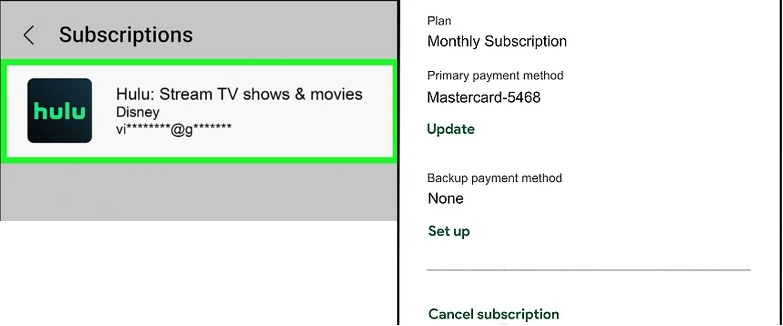
Way 3. Cancel via Android Google Play
- Open the Google Play Store app and tap your profile icon.
- Select Payments & subscriptions.
- Tap Subscriptions.
- Find and select Hulu.
- Tap Cancel subscription.
Tip: How to Back up Hulu Videos Before Subscription Cancellation
Cancelling your Hulu subscription doesn’t imply you must forfeit access to the shows, movies or originals you love. To keep enjoying your content offline post-cancellation, there’s an intelligent method to achieve this—by utilizing a streaming video converter tool.
Mediaio Video Converter is a trustworthy option that enables you to convert and save videos from Hulu and various other popular streaming services. Intended for individual use, it enables users to store preferred content in high-quality formats such as MP4, MKV, or MOV for offline access. This device guarantees that you can view it at any moment, even if you don't have a subscription.
Final Words
Now you should already know how to cancel your Hulu subscription on Roku. Before canceling, you can use Mediaio Video Converter to back up your favorite Hulu videos and then watch them on your personal devices.