

If you have forgotten your HBO Max password and cannot log in to your account, you are not alone. Whether it has been a while since you last logged in or you simply cannot remember your credentials, resetting your HBO Max password is a quick and easy process. In this guide, we will walk you through the steps to perform an HBO Max password reset and get back to streaming your favorite shows and movies in no time.
HBO Max Password Reset: What to Check Before You Reset
Sometimes, resetting your password may not be the only or best solution. Before you proceed with a password reset, it is worth checking whether there are other ways to regain access to your account.
If you have forgotten your password, you can first try logging in to HBO Max with a code. However, during the process, you may also be prompted to update your password. Furthermore, logging in with a code can be a bit of a hassle.
Login to HBO Max Without a Password:
- On the login page, when asked for your password, select Get a code instead.
- Check your email inbox for a message from HBO Max.
- Enter the 6-digit code from the email on the login page.
- If prompted, set or update your account password.
If your HBO Max account has been locked or you suspect it has been compromised, reset your password immediately.
If you are sure your HBO Max password is correct but still cannot log in, try using incognito mode or switching to a different network to access your account before resetting your password.
- Incognito mode opens a fresh browser session without cached data, cookies, or extensions that may be interfering with your HBO Max login.
- Switching to mobile data rules out any network-related issues, such as unstable WiFi or DNS settings, that may be preventing HBO Max from authenticating your login.
How to Reset HBO Max Password - All Devices
The HBO Max password reset steps vary slightly depending on your device. Below is a complete guide for smart TVs, computers, mobile devices, and gaming consoles.
Reset HBO Max Password on Smart TVs & Streaming Devices
Step 1: Open the Max app and select Sign In.
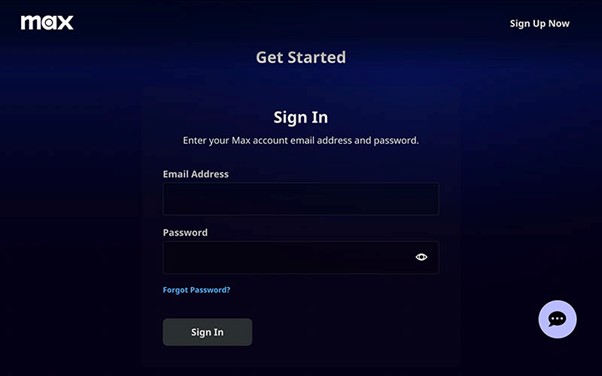
Step 2: Choose Sign in with a code and visit max.com/signin on your phone or PC.
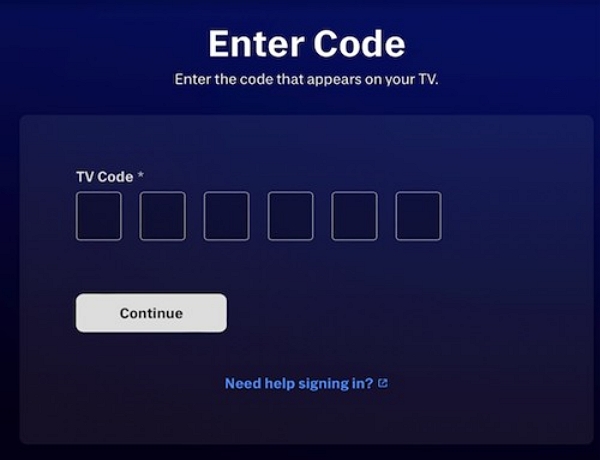
Step 3: Enter the code displayed on your TV.
Step 4: Click Forgot Password on the sign-in page.
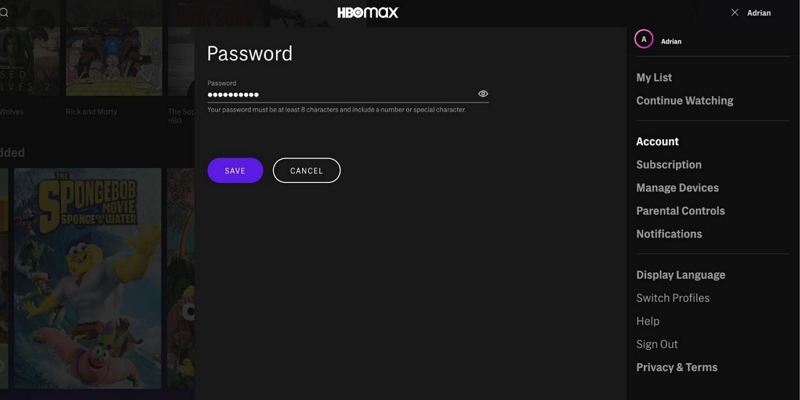
Step 5: Enter your email address and follow the reset instructions sent to your inbox.
Reset HBO Password on Computers (Windows/macOS)
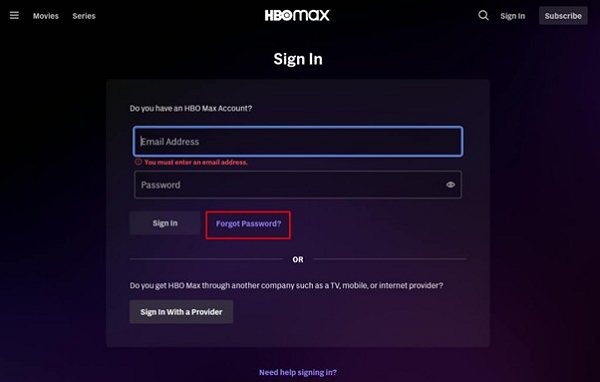
Step 1: Go to max.com/login.
Step 2: Click "Forgot Password."
Step 3: Enter your account email and click "Submit."
Step 4: Check your email inbox for a "Reset your Max password" email.
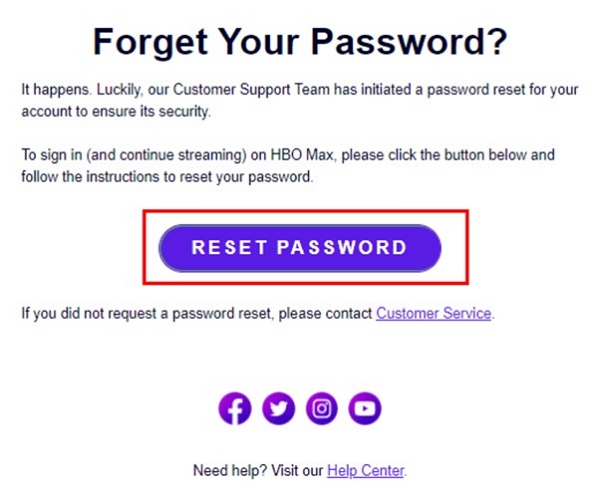
Step 5: Click the link in the email, enter a new password, and save.
Reset HBO Max Password on Mobile Phones (iOS/Android)
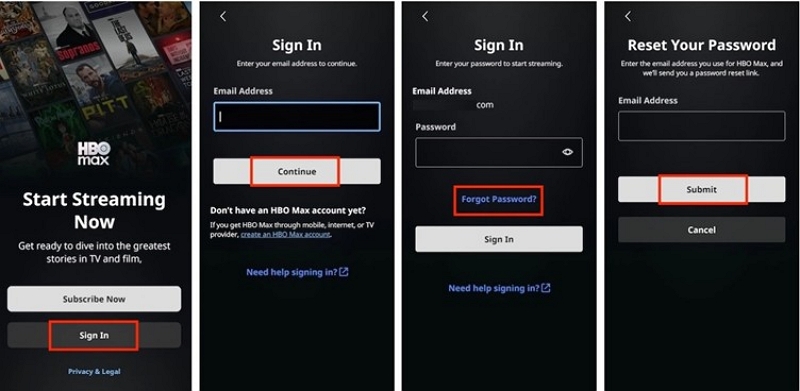
Step 1: Open the Max app and tap "Profile." It is at the bottom right side of the screen.
Step 2: Tap "Sign In" and choose "Forgot Password."
Step 3: Enter your email and tap "Submit."
Step 4: Open the reset email and tap "Reset Password."
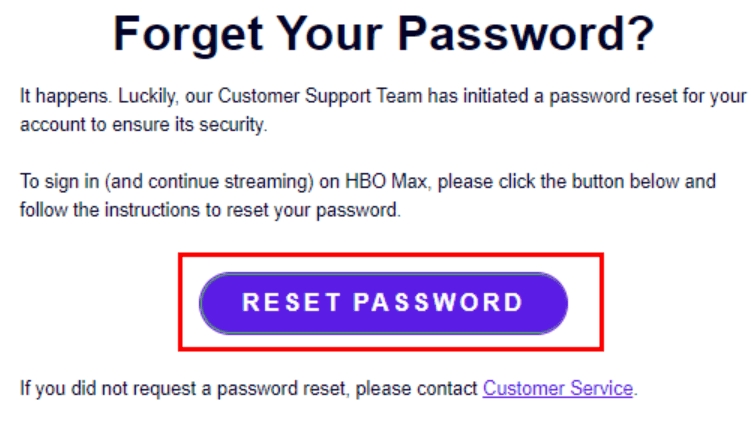
Step 5: Enter your new password and tap "Save."
Reset HBO Password on Gaming Consoles
Like TVs, gaming consoles do not support password resets directly.
Step 1: Launch the Max app and proceed to “Sign In.”
Step 2: Select "Sign in with a code".
Step 3: Open a browser and visit max.com/signin to enter the code.
Step 4: Click "Forgot Password" and follow the on-screen instructions to reset your password.
Possible Issue 1: HBO Max Password Reset Email Not Sending?
Fix 1: Make Sure You Are Using the Right Email Address
Double-check that you are entering the correct email address associated with your HBO Max account. If you have multiple email accounts, try a different one.
Fix 2: Check All Inbox Folders
The reset email may have been filtered out of your main inbox. Be sure to check all folders, including Promotions, Junk, and Spam.
Possible Issue 2: What to Do If You Forgot Your Max Email?
Step 1: Check all your email inboxes for any HBO Max-related emails to find the one that is registered.
Step 2: If you still can't remember or access your email, contact HBO Max customer support for assistance. Provide any billing information or account details you have to verify your identity. They can help you recover or update your account email.
Simple Tip: You can write down your HBO Max email ID and password in a Word document and save it on your drive. It comes in handy under such circumstances.
Possible Issue 3: HBO Max Password Reset Not Working?
- You might not have received the reset email. Please check your email folders like “Spam, Promotions, or Junk.”
- The reset link expires after 24 hours. You must request a new one.
- Check whether your browser blocks scripts or cookies.
- Max cannot send the reset link if you don’t have access to your email.
Tips to Secure Your HBO Max Password
Keeping your HBO Max password safe prevents unauthorized access. Follow these tips to protect your account:
- Set a unique password that is difficult to guess. Please avoid using personal information, such as your spouse's name, date of birth, or phone number.
- Your password should be at least 10 characters. We recommend using a combination of uppercase and lowercase letters, numbers, and special characters.
- Please change your password regularly. Let’s discuss step by step how to change.
Step 1: Sign in to your Max account.
Step 2: If you're using a desktop browser, click the profile icon and select "Account." If you're using a mobile device, tap the profile icon and navigate to Settings. Tap "Account."
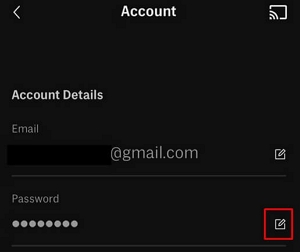
Step 3: Locate the "Password" field. Click or tap the "Edit" icon next to it.
Step 4: Type your existing password to confirm your identity. Enter the new password. Confirm it by typing it again.
Step 5: You may receive a one-time verification code to your registered email address. Enter the code on the Max site or app to proceed.
Step 6: Save the changes you have made by clicking or tapping “Save.”
Your password is updated automatically. You will be signed out of all devices for security.
- Please use a password manager to save your password in the system. It saves you the trouble of remembering them.
- Please review your devices regularly to ensure that nobody is misusing your password on their devices.
- Please ensure that your email address is correct.
- Finally, beware of phishing scams. HBO Max never requests any personal information from its users via email. Clicking on unsolicited and unverified links is a dangerous practice. It could lead you to a phishing website.
Download HBO Max Videos and Watch Without Password Hassles
Let’s be honest—forgetting your HBO Max password is frustrating. You get locked out, miss your favorite shows, and waste time resetting. Even worse, shared accounts get complicated fast. Why go through the stress every time you want to watch something?
Here’s the solution:
With Mediaio Video Converter, you can export HBO Max videos to your device in local formats like MP4 and MKV. After that, you can watch the offline videos with local media player like VLC and WMP, meaning that you don't need to login HBO Max each time. The video quality is high (up to 4k) and the subtitles are complete (VRT/SRT).
Conclusion
Forgetting your HBO Max password can happen to anyone, but being locked out doesn’t have to ruin your streaming experience. In this guide, we've shown you exactly how to reset your HBO Max password on any device, along with practical tips to protect and manage your login credentials.